Information is fragmented
Visitors have to search multiple places to find basic event details.
 REQUEST CUSTOM DEMO
Imagine you're visiting the fair for the first time.
Where's the pig show?
Is there gluten-free food?
Explore the problem ↓THE PROBLEM
At large events, information is often scattered across printed schedules, social media posts, websites, maps, and staff members.
Visitors have to search multiple places to find basic event details.
Staff repeatedly answer questions about parking, schedules, food, tickets, and locations.
Visitors need answers while they are making decisions—not after they have already missed something.
DISCOVERY
We started with the questions visitors were most likely to ask while trying to navigate a busy event.
Where do I park?
Visitors need location information before they even enter the event.
What time is the pig show?
Schedule information needs to be quick to find and easy to filter.
Is there gluten-free food?
Dietary needs should not require visitors to search every vendor manually.
Where are the restrooms?
Basic wayfinding questions create friction when maps are difficult to locate.
What can my kids do today?
Families need event information organized around their specific goals.
Did the fireworks time change?
Time-sensitive updates need to reach visitors before they miss the moment.
USER PAIN POINTS
This modeled visitor journey shows how event information can become fragmented when people have to search across multiple sources.
DESIGN DECISIONS
EventPal was not designed as a collection of screens. Each interaction was selected to help visitors find information faster, with less effort.
DECISION 01
Visitors think in natural-language questions such as “Where do I park?” or “What time is the pig show?” The AI assistant gives them a faster route to event information than navigating several sections manually.
WHY AI?
At a busy event, visitors need quick answers while staff are handling operations, safety, vendors, tickets, and real-world exceptions. EventPal’s AI assistant was designed to make event information easier to access through natural conversation.
WHAT JOB IS AI DOING?
Finds relevant organizer-provided parking information and gives the visitor a faster path to the answer.
Parking, schedules, food options, maps, tickets, vendor details, and other questions that can be answered from reliable event data.
Staff remain essential for emergencies, complaints, accessibility needs, unusual situations, and anything requiring human judgment.
Answers should come from current event information, while standard navigation remains available when visitors prefer to browse or need a reliable fallback.
WORKFLOW BEFORE & AFTER
The goal was not to eliminate every navigation path. It was to give visitors a faster option when they arrive with a specific question.
Visitor has a question.
Searches the website, Facebook, schedule, or map.
Clicks between multiple pages trying to find the answer.
Asks staff when information is unclear or outdated.
Risks missing an event, update, or activity.
Visitor has a question.
They ask EventPal in natural language.
EventPal surfaces relevant event information.
The visitor can act, navigate, or continue exploring.
EARLY MOBILE PROTOTYPE
Before the current EventPal experience, I used an iPhone Simulator to test key visitor flows including ticket access, schedule browsing, vendor discovery, and map-based wayfinding.
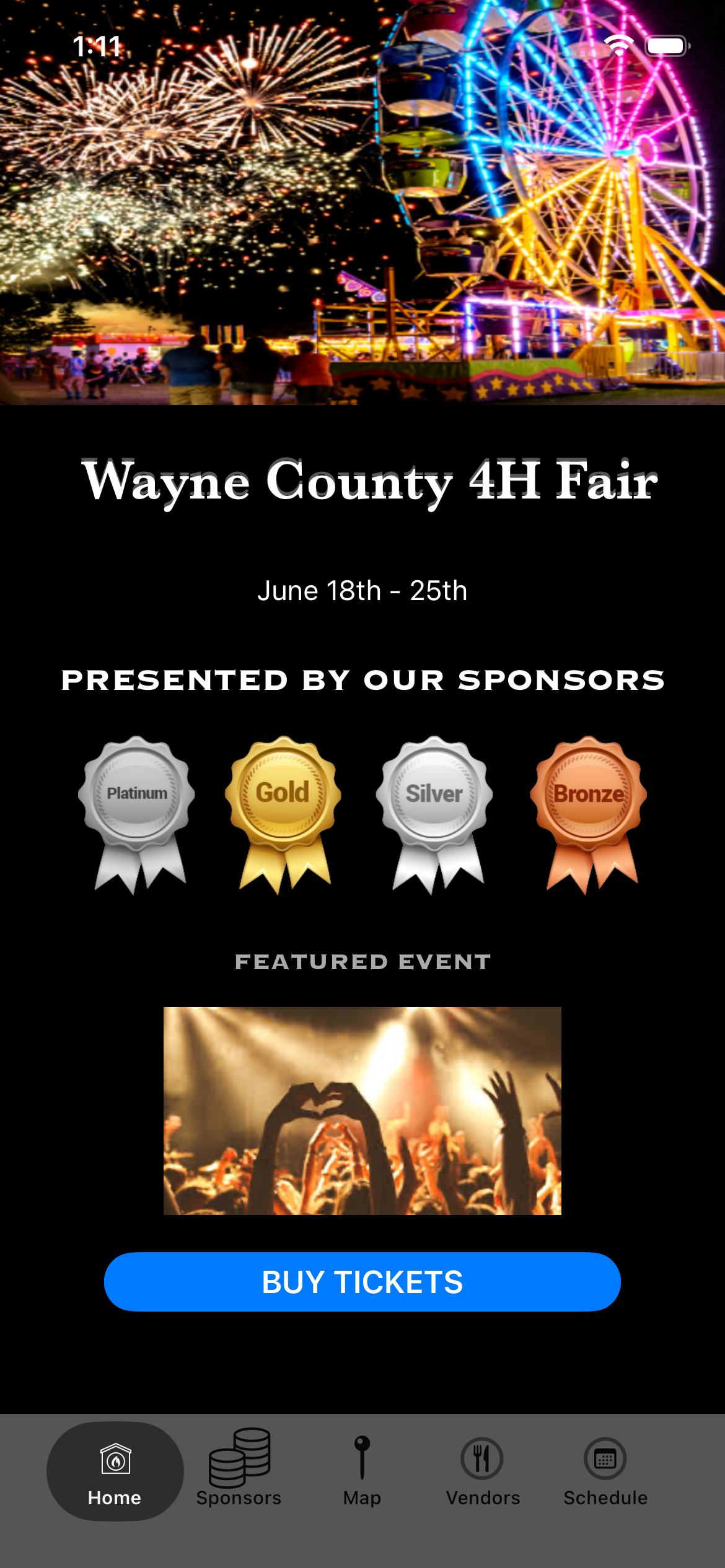
The home screen centralized event details, sponsor visibility, featured content, and ticket access into one mobile-first entry point.
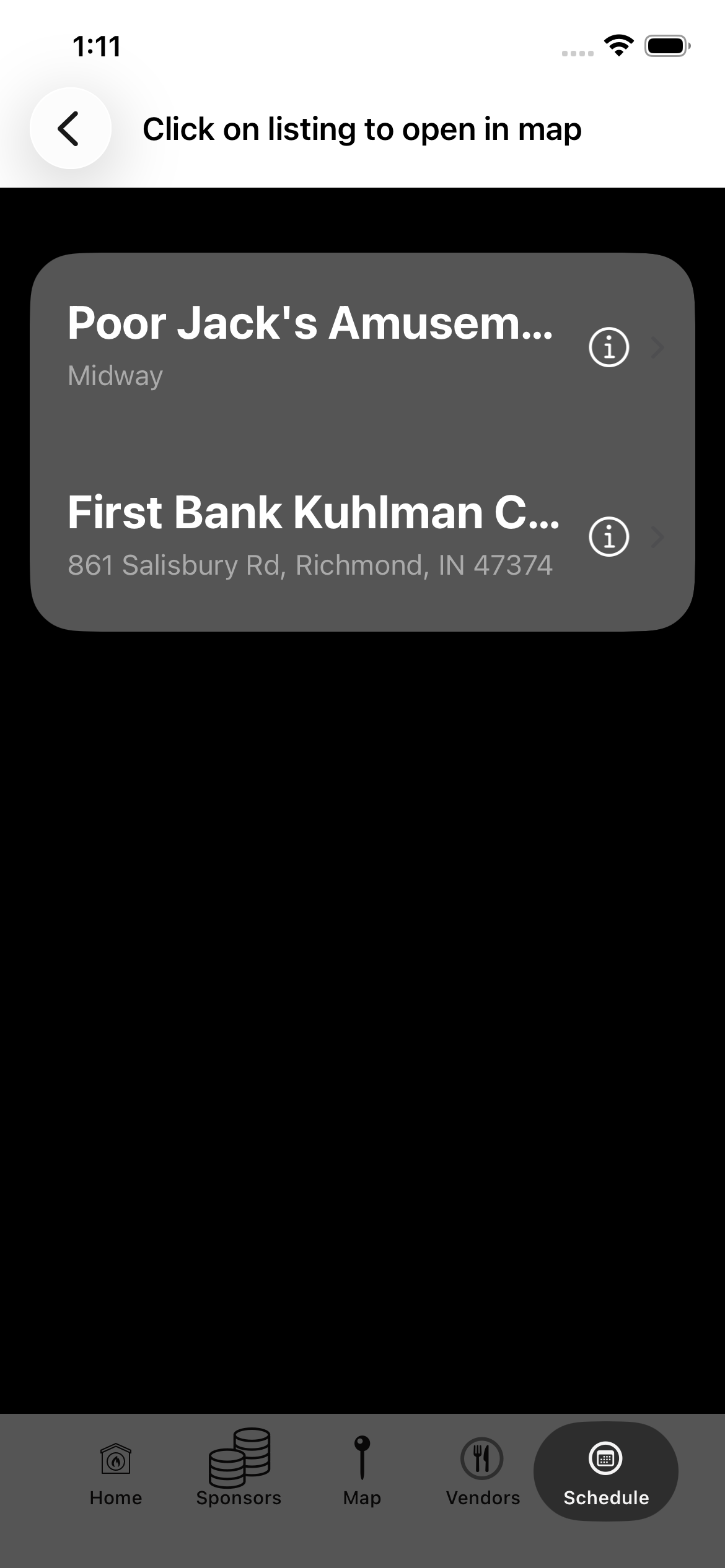
This early schedule view tested how visitors could browse event days and locate time-based programming from their phones.
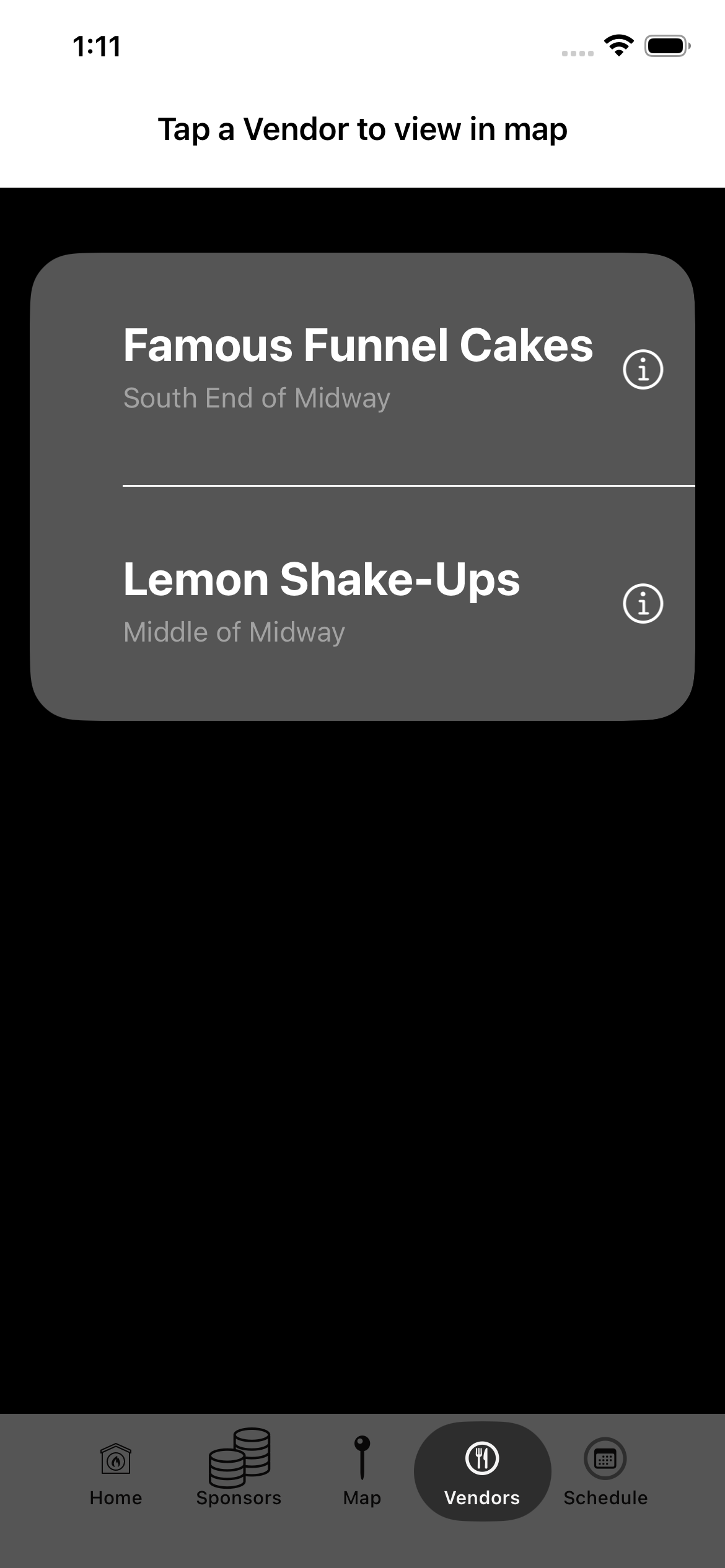
Visitors could browse vendors and move toward map-based wayfinding instead of searching the grounds or asking staff for directions.
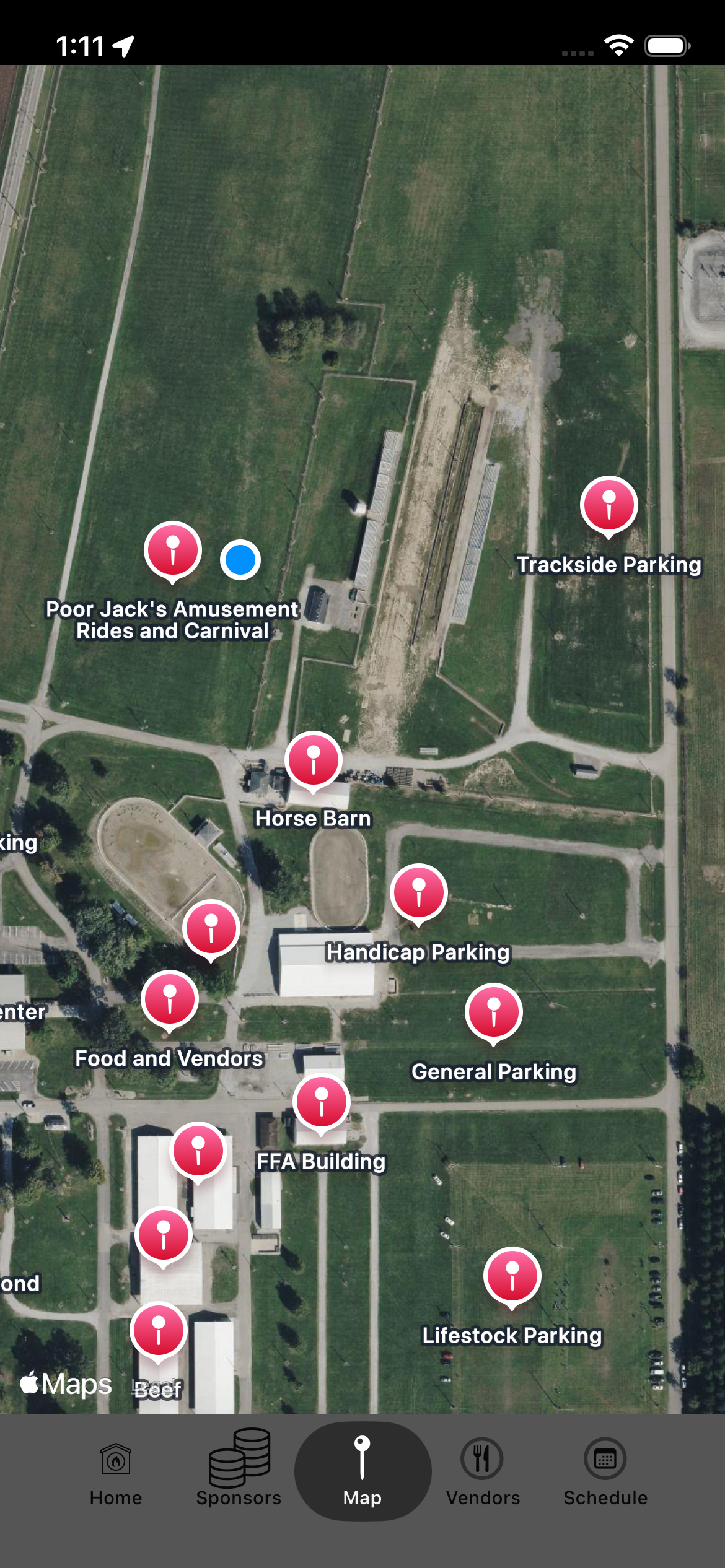
The interactive map tested how visitors could locate parking, livestock areas, food vendors, buildings, and attractions on-site.
ITERATION INSIGHT
The core navigation flows worked, but visitors still had to know where to look. That insight helped shape EventPal’s AI assistant: visitors can ask a question first, while navigation remains available as a fallback.
LIVE PRODUCT
EventPal evolved from early mobile testing into a live interactive product designed to help visitors access schedules, maps, vendors, sponsors, tickets, and AI-assisted answers in one place.
CURRENT EXPERIENCE
The live product brings together the core information visitors need while preserving standard navigation for people who prefer to browse.
Interactive EventPal demo — built as a working mobile-first experience.
Whether you're looking for AI-powered customer engagement, workflow automation, user experience design, or product development support, I'd love to connect.
Contact Me